Introduction
Keep your cat occupied during Zoom calls with short interactive game sessions that burn energy without derailing your day. This guide focuses on fitting cat play into a remote work schedule. You will learn practical setup tips, safety habits, and how Cat Games for Cats on the App Store delivers paw-friendly hunting games for iPhone and iPad.
Why Work From Home Cat Entertainment That Actually Works Matters
Indoor cats keep strong predatory instincts even when they never hunt outdoors. Without satisfying outlets, that drive can turn into boredom, night zoomies, or furniture scratching. Fitting cat play into a remote work schedule gives cats a clear target for stalking, chasing, and tapping.
Daily interactive play is one of the highest-impact enrichment habits you can build. It fits small homes, busy schedules, and cats of nearly every age.
Interactive screen games complement wand toys and climbing spaces. They add variety without clutter, work in apartments, and make it easy to squeeze enrichment into short daily windows.
How Interactive Screen Games Work
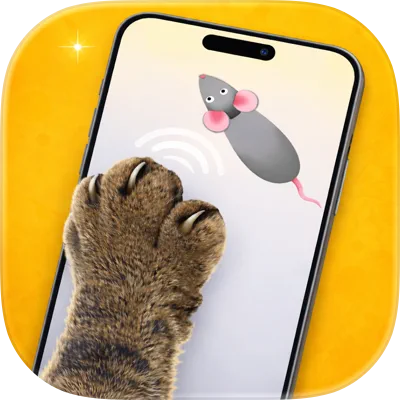
Cat game apps animate prey — mice, fish, laser dots, bugs, birds, balloons, and worms — across a touchscreen. Cats track motion with their eyes, crouch, then tap or swipe. Unpredictable paths keep the hunt feeling real longer than a static toy.
Cat Games for Cats includes seven prey modes so you can rotate styles before your cat habituates to one pattern. Fast modes suit energetic hunters; smoother fish and worm paths suit cautious or senior cats.
Practical Tips for Work From Home Cat Entertainment That Actually Works
Begin in a quiet room with few distractions. Place your iPhone or iPad on a stable surface, start a single game mode, and let your cat approach. Cheer softly when they tap — your attention is part of the reward.
Two or three short sessions beat one long marathon. End on a successful “catch” moment when possible, then offer a treat or meal to complete the hunt cycle.
If your cat loses interest, switch prey types instead of extending a stale session. Novelty restores curiosity faster than longer playtimes.
Device and session safety
Use a tempered glass protector and a case. Keep claws trimmed. Supervise every session. Stop if your cat becomes overstimulated, starts biting the device, or shows stress signals like flattened ears.
Choosing Games That Fit fitting cat play into a remote work schedule
Match motion speed to your cat. High-energy cats often lock onto Laser Dot and Mouse Chase. Deliberate hunters may prefer Fish Hunt or Worm Game. Bright Balloon Pop works well for curious kittens and first-timers.
In Cat Games for Cats, try each mode once, note the strongest reactions, then build a short weekly rotation. Score summaries help you spot which games create the most engagement over time.
A Simple Daily Enrichment Routine
Morning: 5–10 minutes of a favorite fast game before breakfast. Afternoon: a wand toy or puzzle feeder. Evening: a calmer screen session to burn leftover energy before bed.
Consistency beats intensity. Cats thrive on predictable hunt-eat-rest cycles. Pairing Cat Games for Cats with meals reinforces that play is a satisfying part of the day — not a random distraction.